
Yesterday I wrote about Exchange Certificate Manager: getting the URLs, certificates and domains right on an Exchange server without doing the homework every time.
I have two Exchange servers.
- Production, for
andykemp.com - A lab, for
andykemp.dev, where I break things on purpose
They sit behind one UniFi router, with one public IP address that changes now and then (Cloudflare keeps the DNS up to date).
Both servers want port 443. The router can only forward port 443 to one of them.
Why not just…
…use two IP addresses? It’s broadband. I have one.
…put the lab on another port? Outlook, Autodiscover and phones all expect 443. You can make other ports work for OWA in a browser, but not for the things worth testing.
…use Cloudflare’s proxy? The orange cloud doesn’t play nicely with Outlook and ActiveSync, and it never touches port 25.
What I needed was something in front of both servers that looks at the name each connection asks for and sends it to the right one.
Routing by name, without touching the certificate
When a client connects over HTTPS, the first thing it sends is the name it wants: mail.andykemp.com or mail.andykemp.dev. That’s SNI (Server Name Indication), and it’s sent before any encryption starts.
HAProxy can read that name and pass the whole connection, still encrypted, to the right server. It never decrypts anything. The certificate stays on Exchange, so Exchange Certificate Manager keeps doing its job and nothing on the proxy needs a certificate for the Exchange names.
Internet ─► router (443) ─► HAProxy
                            ├─ mail.andykemp.com ─► prod
                            └─ mail.andykemp.dev ─► lab
The HAProxy config for that is about 20 lines. I could have stopped there.
But I know what happens next. In six months I’ll want to add a third server, or take one out for patching, and I’ll be back in a config file I haven’t looked at since, on a box I’ve half forgotten, hoping a typo doesn’t take mail down.
I’ve said this before about Exchange: it’s not hard, it’s just work you do rarely enough to look up every time.
HAPMan
So I built HAPMan. The name is short for HAProxy Manager, and it gets called Happy Manager.
It’s a small web admin that runs on the same Ubuntu server as HAProxy. You never edit the config: you add routes, and HAPMan writes the config for you.
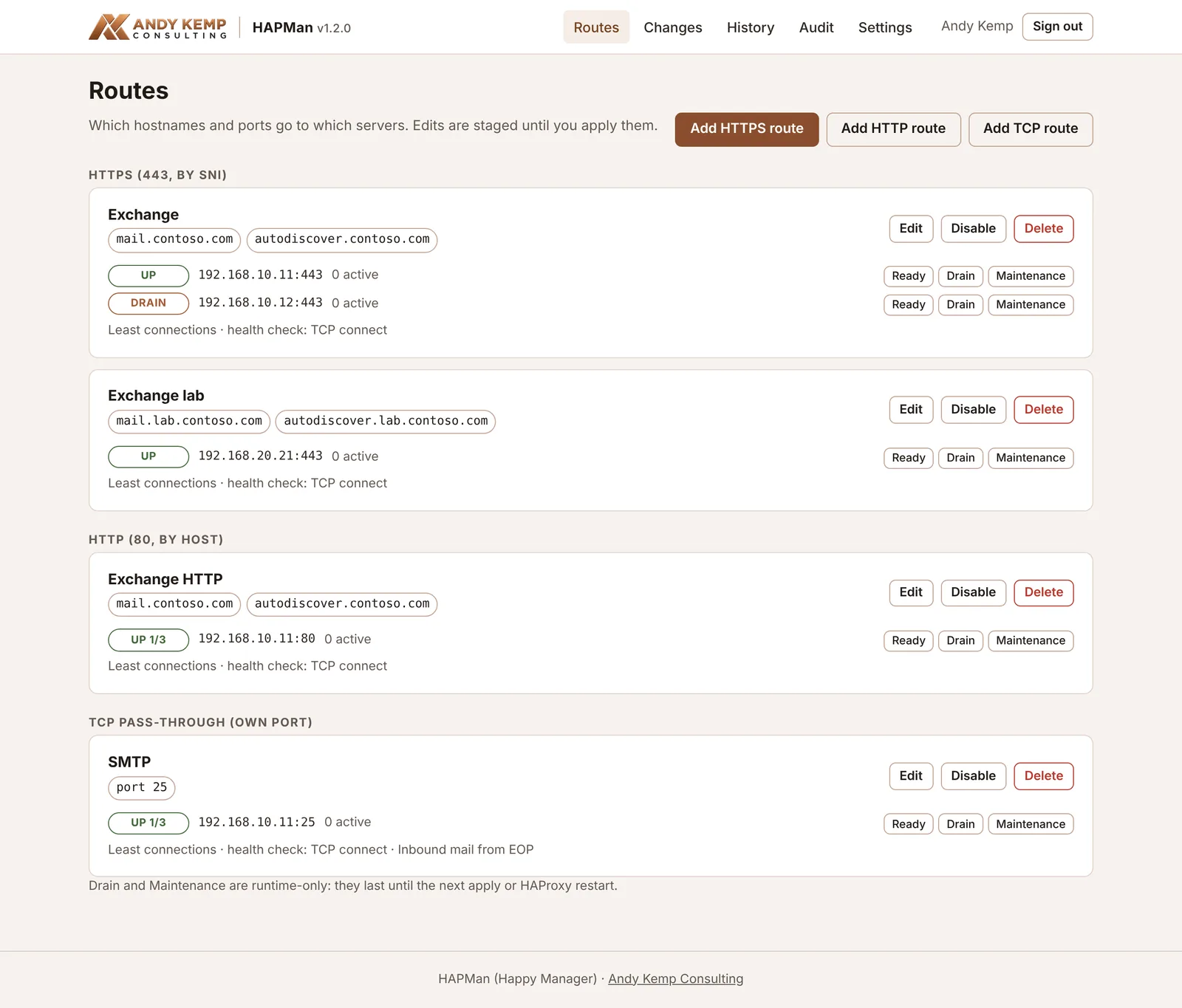
There are three kinds of route:
- HTTPS (443), by name. TLS is passed straight through, so certificates stay on your servers.
- HTTP (80), by name. Useful for Let’s Encrypt HTTP-01 challenges on a server behind it.
- TCP, by port. A whole port, such as 25, goes to one server or pool.
Put more than one server in a route and it load balances between them. Add a health check and a server that stops answering drops out on its own. For Exchange, I check /owa/healthcheck.htm, so a server also drops out when I put Exchange into maintenance mode.
Adding a route
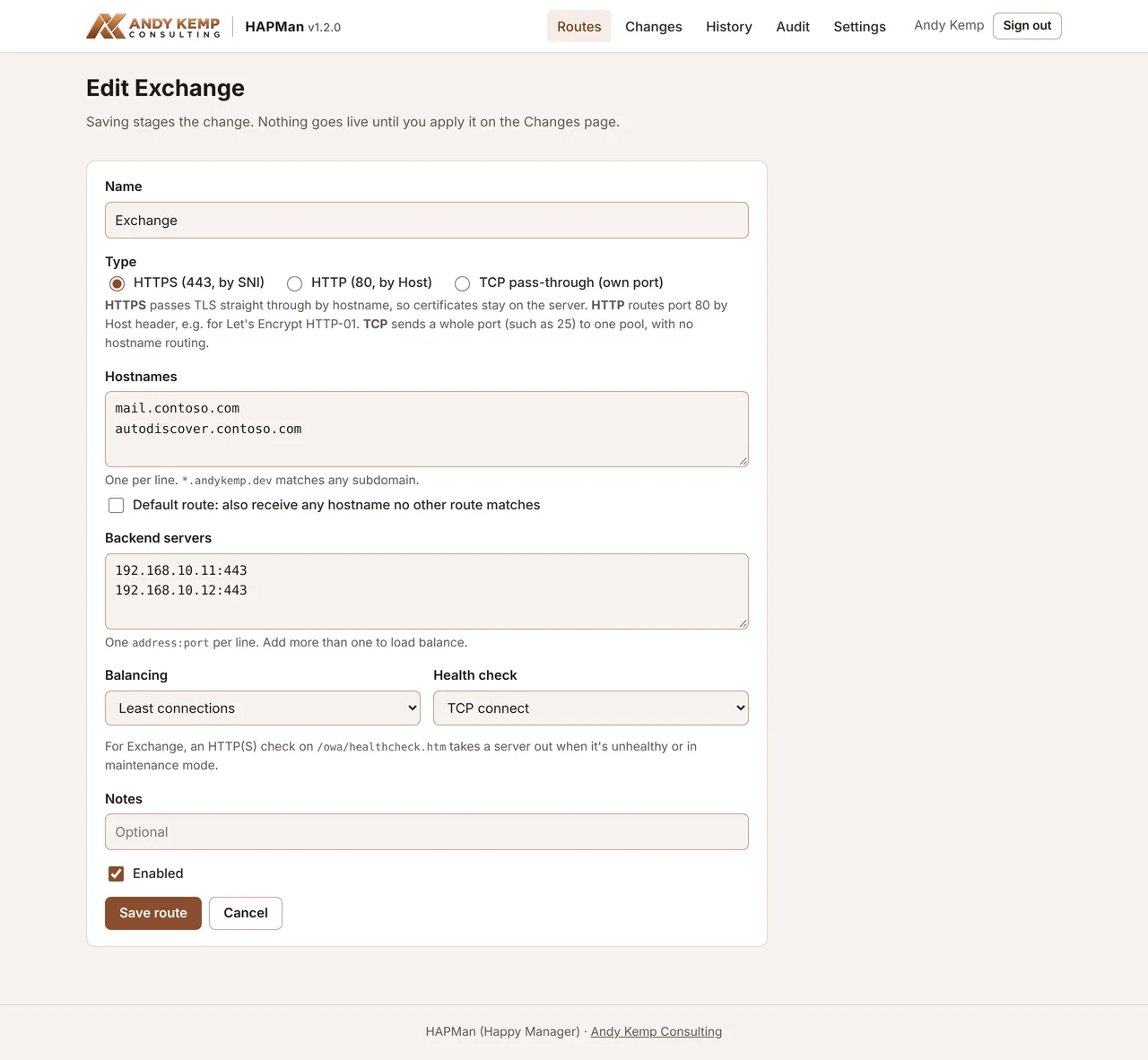
A name, the hostnames, the servers and a health check. That’s it.
Nothing changes until you’ve seen it
This is the part I care about most.
Saving a route doesn’t change anything live. It stages the change, and the Changes page shows you exactly what will be different in HAProxy’s config, with HAProxy’s own validation, before you apply it.
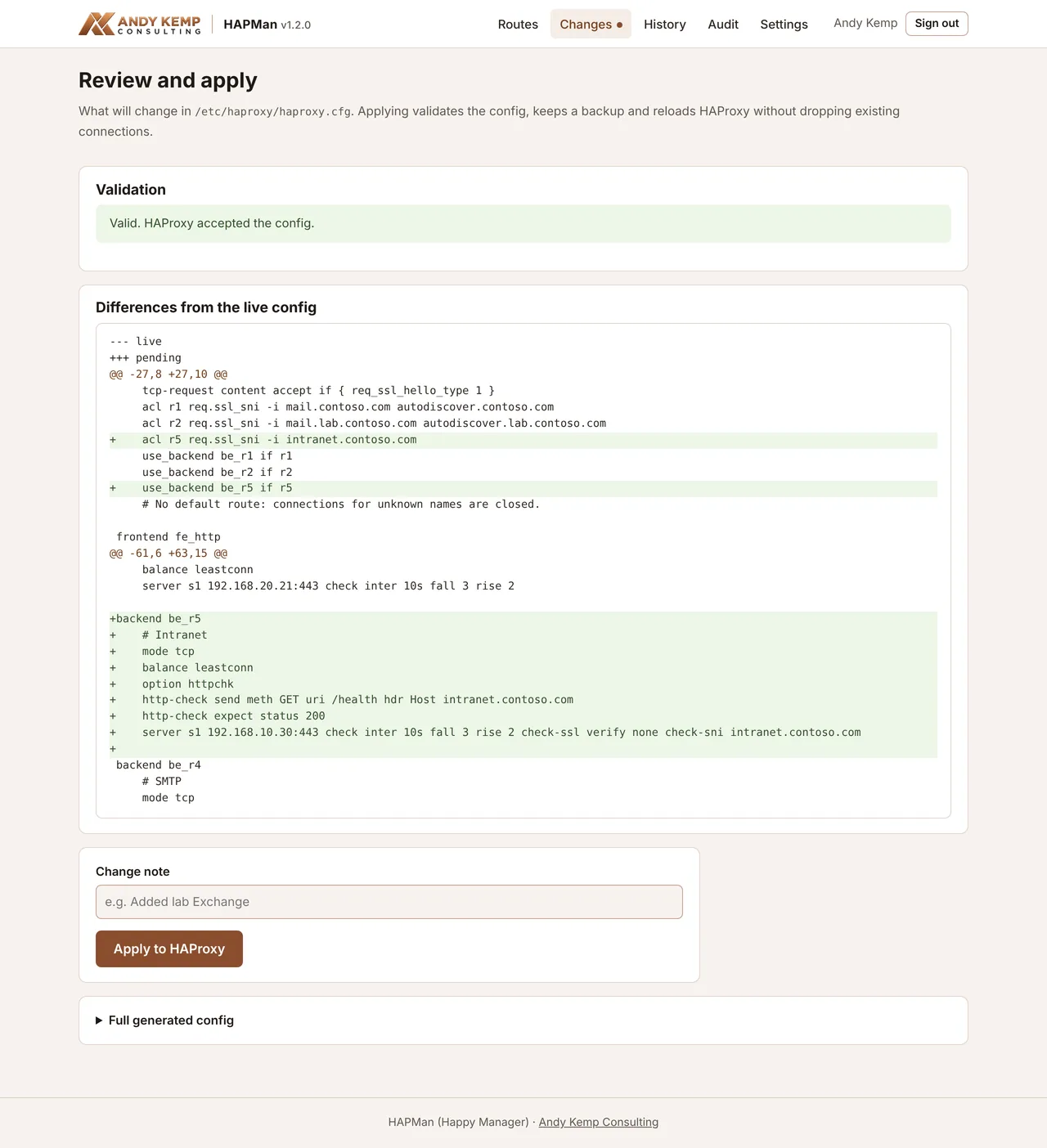
When you apply it, HAPMan:
- checks the config again with HAProxy,
- keeps a copy of the current one,
- installs the new one,
- reloads HAProxy without dropping connections.
If the reload fails, it puts the old config back.
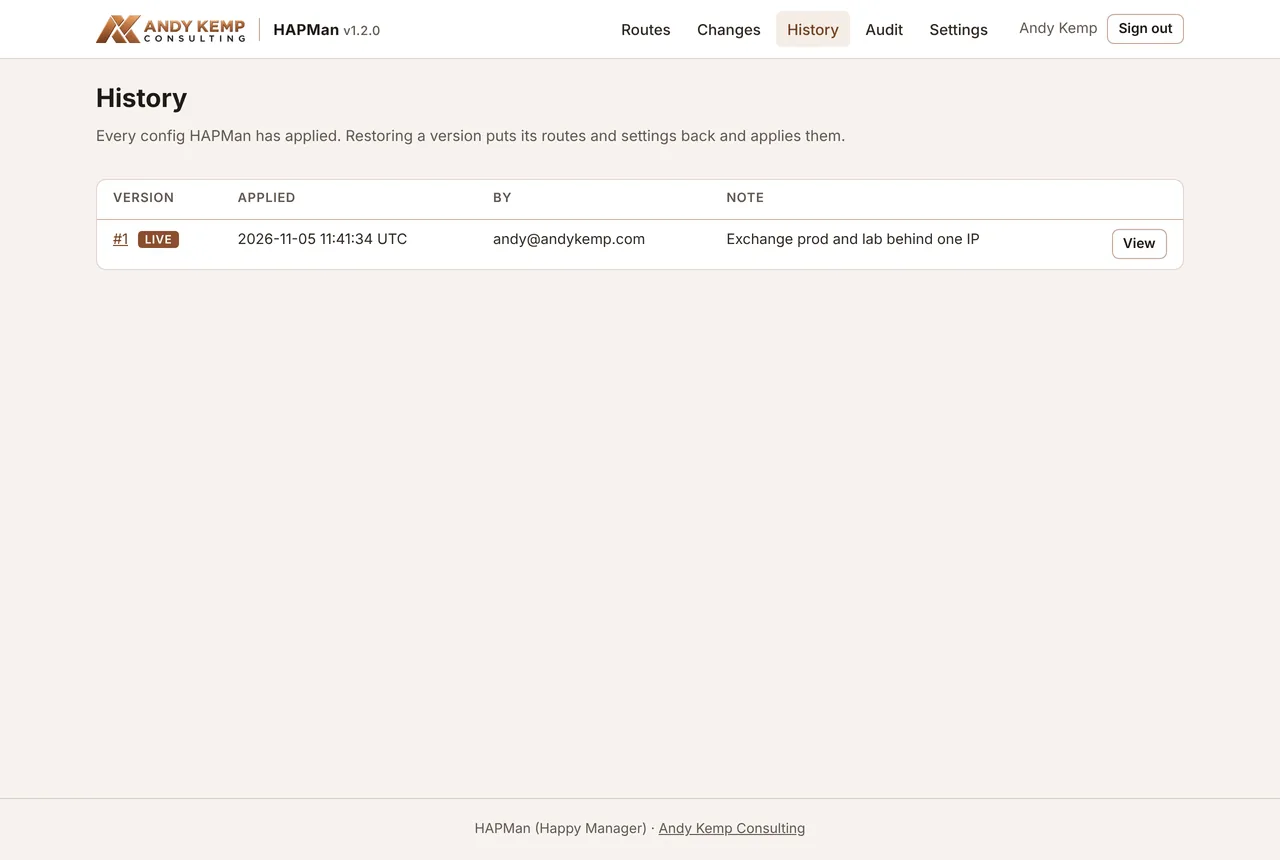
Every applied version is kept, so going back is one click. There’s an audit log of who signed in and what they changed.
Patching
Each server has Drain, Maintenance and Ready buttons:
- Drain the server you’re about to patch, so new connections go elsewhere.
- Wait for its active connections to reach zero, then patch it.
- Click Ready.
Port 25 is different
SNI only works because the client says which name it wants before anything else happens.
SMTP doesn’t. A sending server connects to port 25 in plain text, starts a conversation, and only then upgrades to TLS. There’s no name to route on when the connection arrives, and MX records always mean port 25.
So port 25 can go to one place. In my case that’s production. My lab doesn’t need inbound mail from the internet, so the router sends 25 straight to the production server. If you need both, the usual answer is to have one server accept mail for both domains and relay the lab’s on.
Locking it down
A web page that controls what’s exposed to the internet is a juicy target, so:
- Entra ID sign-in only. HAPMan has its own app registration with an app role, and “assignment required” is on, so only the people you assign can sign in. Add Conditional Access and you can require phishing-resistant MFA and a compliant device.
- Internal only. The admin page listens on 8443, which is never forwarded on the router. Next, I’m putting it behind Global Secure Access Private Access, so I can reach it from anywhere without opening anything.
- Least privilege on the server. HAPMan runs as its own unprivileged account. The only thing it can do as root is run one helper, with no arguments, that installs a config it has already validated and reloads HAProxy.
- A real certificate for the admin page from Let’s Encrypt, using Cloudflare DNS, so nothing needs to reach the server from the internet to renew it.
Installing it
It runs on Ubuntu Server 24.04. A small VM is plenty: 1 vCPU, 1 GB of RAM and 10 GB of disk.
First, on your Windows or Mac machine, run the script that comes with it:
pwsh ./deploy/New-HAPManApp.ps1 -HostName hapman.contoso.com -AssignTo [email protected]It creates the Entra app registration, the app role and the assignment, and gives you one setup code. The code is copied to your clipboard.
I wanted this step off the server. Signing in to Entra is much easier in a proper browser on your own machine than in an SSH window.
Then, on the Ubuntu server:
curl -LO https://downloads.andykemp.com/hapman/latest/hapman.zip
unzip hapman.zip && cd hapman
sudo ./install.sh
It installs HAProxy and everything else it needs, asks for the setup code and a Cloudflare API token for the certificate, and starts HAPMan. Then you sign in and add your routes.
Things I got wrong on the way
A few, and they’re the kind that catch other people too.
I hardened it so well it couldn’t do its job. I locked the service down with systemd’s sandboxing options. Several of them quietly switch on a “no new privileges” flag, which stops the service using sudo at all, including for the one helper it’s allowed to run. The first apply failed. The fix was to keep the options that matter and drop the ones that set that flag.
I gave HAPMan port 443. It seemed natural for a web page. But HAProxy needs 443 for the Exchange traffic, and two things can’t listen on the same port. The installer now refuses 80 and 443 for HAPMan.
Commas in a hosts file. When I tested with a hosts file, I listed the names with commas. Hosts files want spaces. Only the first name worked.
Getting it
It’s free, with no sign-up.
- Read about it on the tools site
- Read the docs, including a worked example with two Exchange servers and a troubleshooting page
- Download it
It started as a fix for my lab. If you’re running more than one server behind one IP, whether it’s Exchange or anything else that speaks HTTPS, it might save you the same afternoon it saved me.
If there’s something you’d like it to do, let me know.



Comments
No comments yet — be the first to leave one below.
Published — it will appear for everyone in a couple of minutes once the site updates.